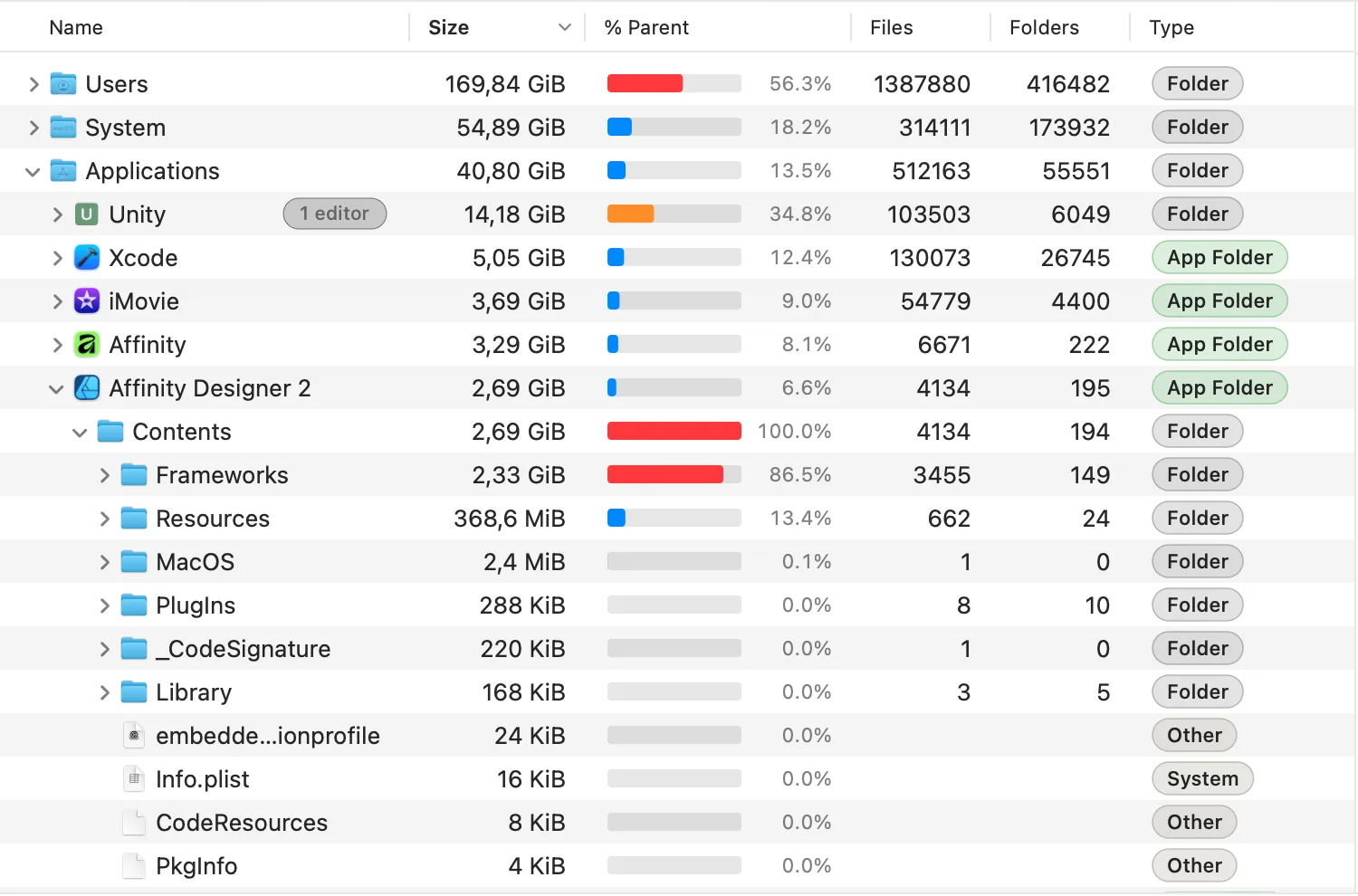
Tree View
WizTree-style hierarchy with seven sortable columns. Size, allocated, % of parent with inline bar, file and folder counts, modified date.
 Tare
Tare
A fast, native disk analyzer for macOS. Scan millions of files in seconds, drill into folders, clean up with confidence. Built natively for Apple Silicon.
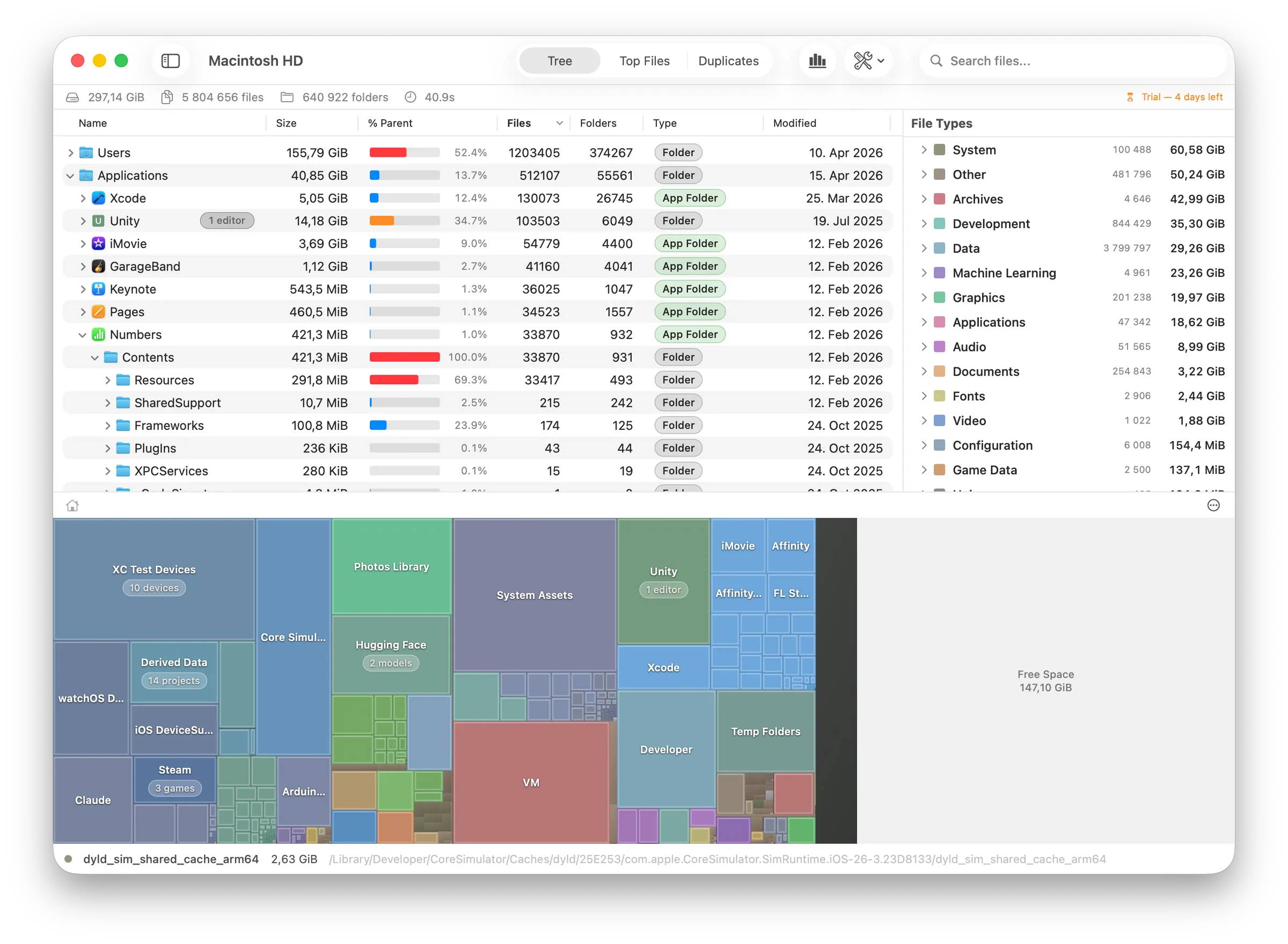
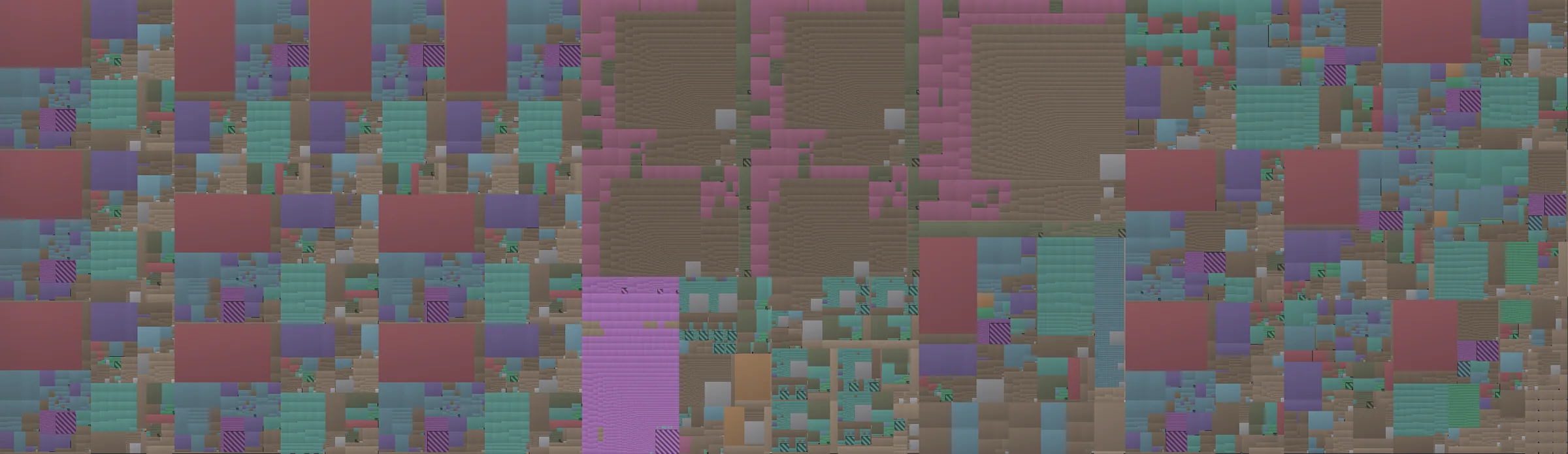
Three structured tables here (tree, top files, duplicates), plus a squarified treemap and a file types panel further down the page. Selection and highlights flow across all five: click a folder in the tree, watch it glow in the treemap. Filter by file type, see only those files in the top list.
WizTree-style hierarchy with seven sortable columns. Size, allocated, % of parent with inline bar, file and folder counts, modified date.
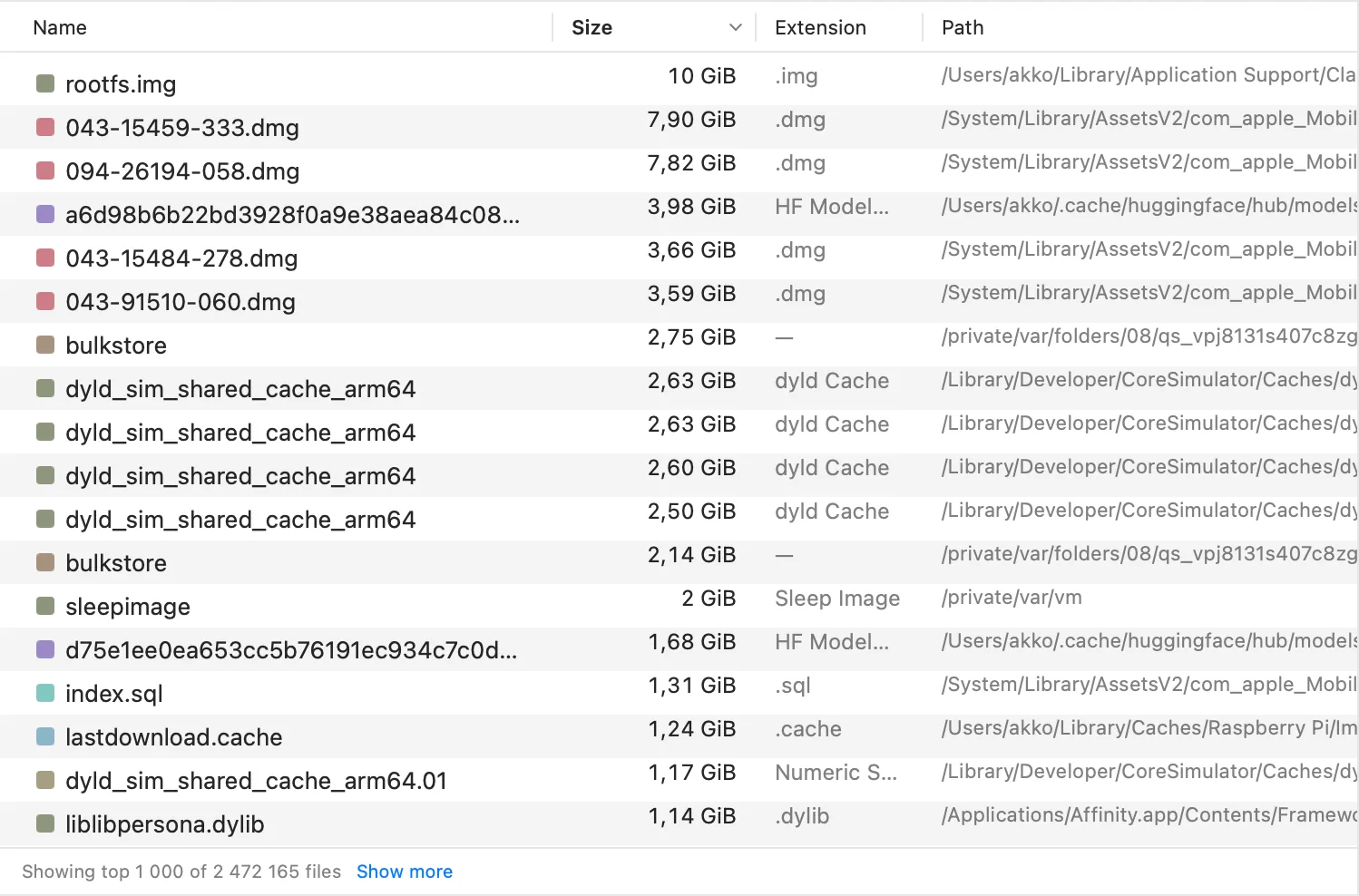
Every file, flattened, largest first. Filter by type (Images, Videos, Archives) to narrow in on the 40 GB video buried eight folders deep.
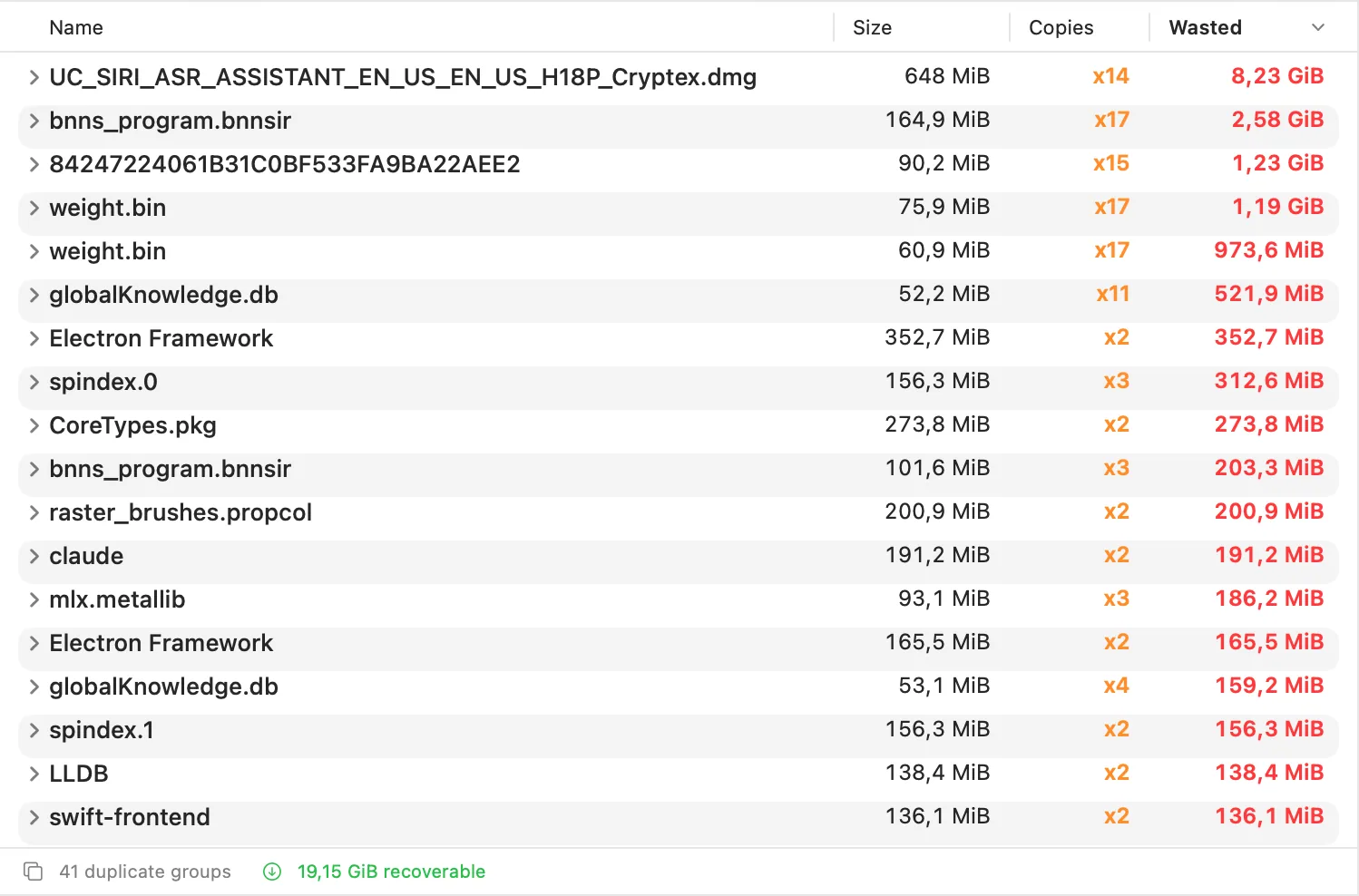
Files grouped by name and size. Computed in milliseconds from the in-memory tree. Pick which copy to keep, trash the rest in one sweep.
Tare ships with over 50,000 file extensions organized into 20 categories. Every file gets colored and classified automatically, with custom categories you can edit when a default doesn't fit.
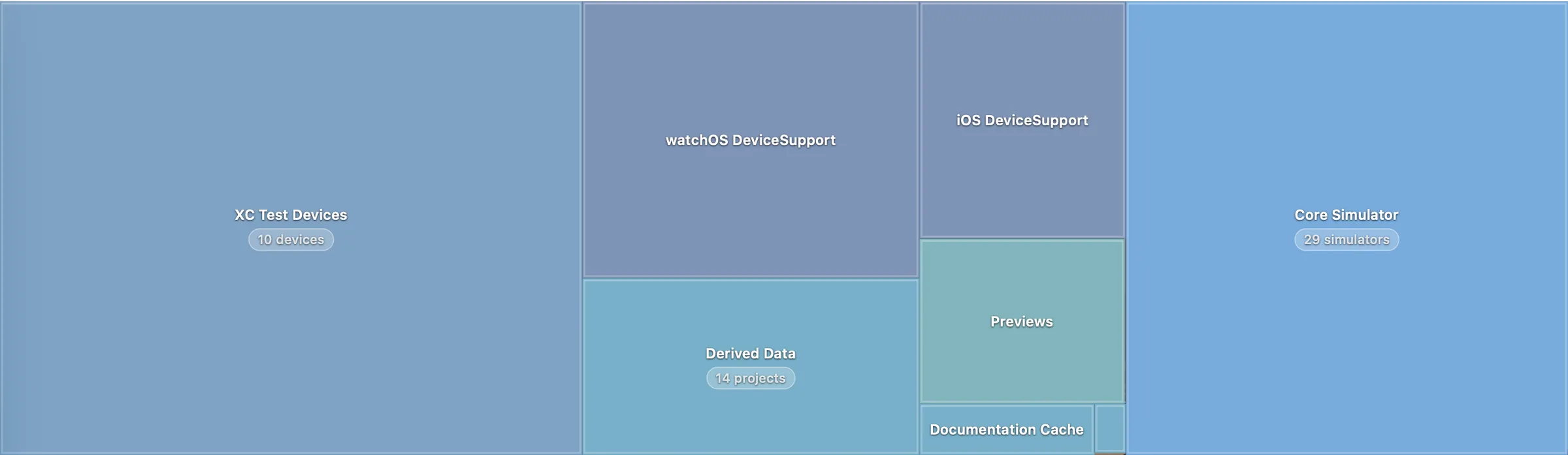
Thousands of cache files and build artifacts shouldn't drown out the stuff you actually care about. Tare recognizes well-known macOS folder patterns and renders each as a single labeled block, with the real device name, project count, or game name baked into the label.
Double-click any grouped block to zoom in and see what's inside.
Inspired by Everything (voidtools). Once the scan is done, every query runs against the in-memory index in milliseconds. No re-scan, no disk hit. An `ext:` filter returns in 0.05 ms, over 1,000 times faster than a naïve scan. 19 of 33 documented query shapes complete in under one millisecond on half a million files.
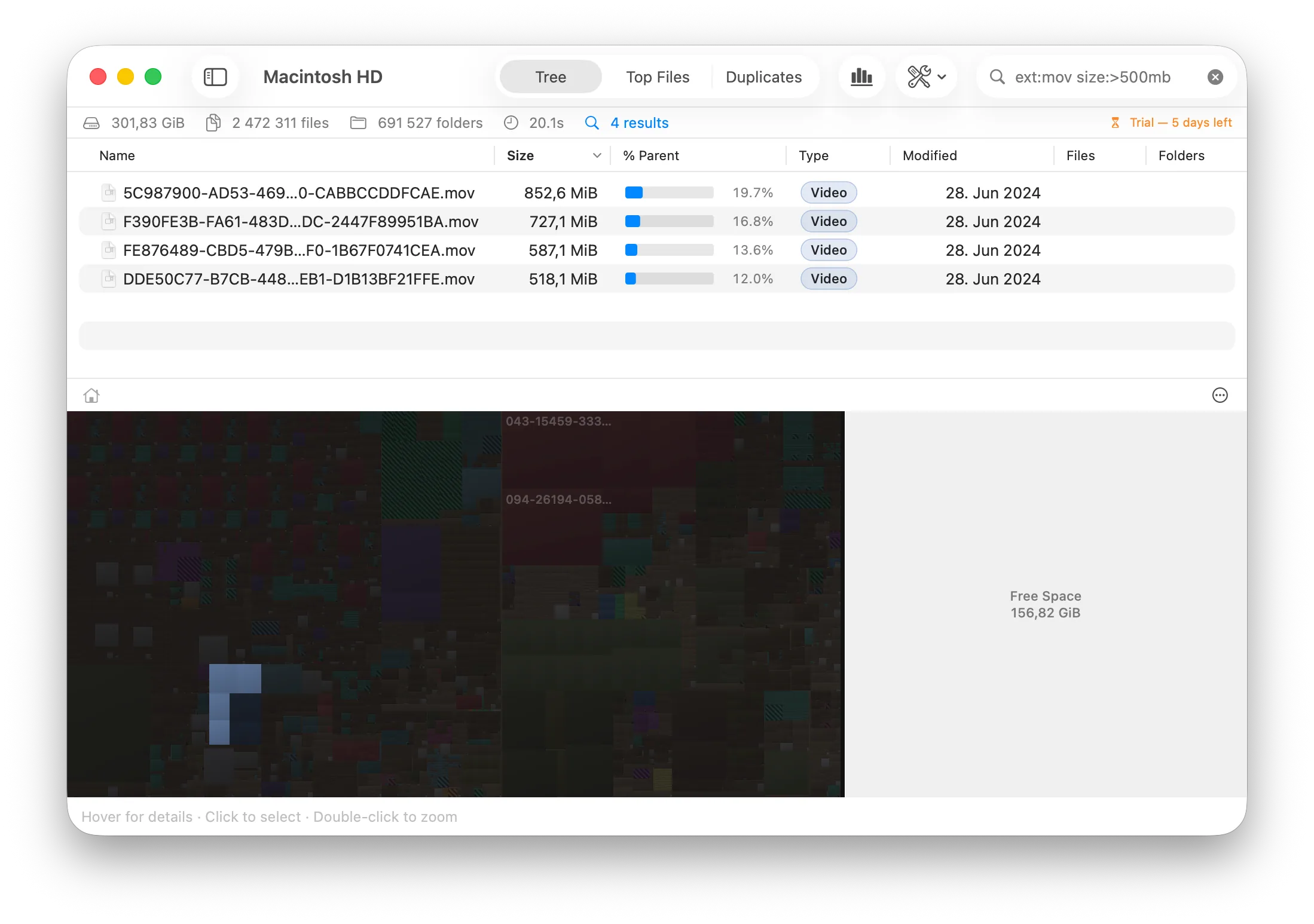
ext:mov size:>500mb
6
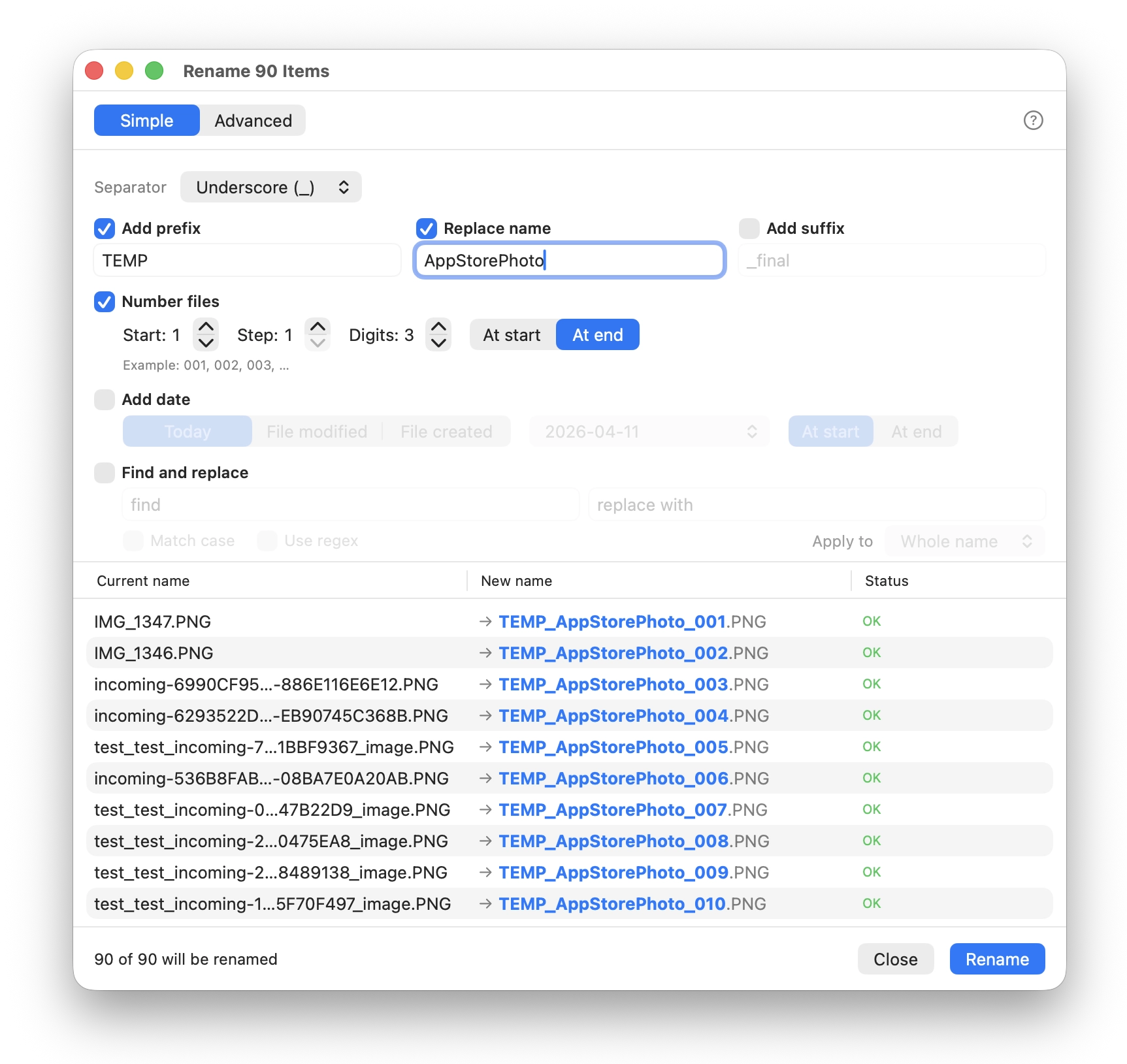
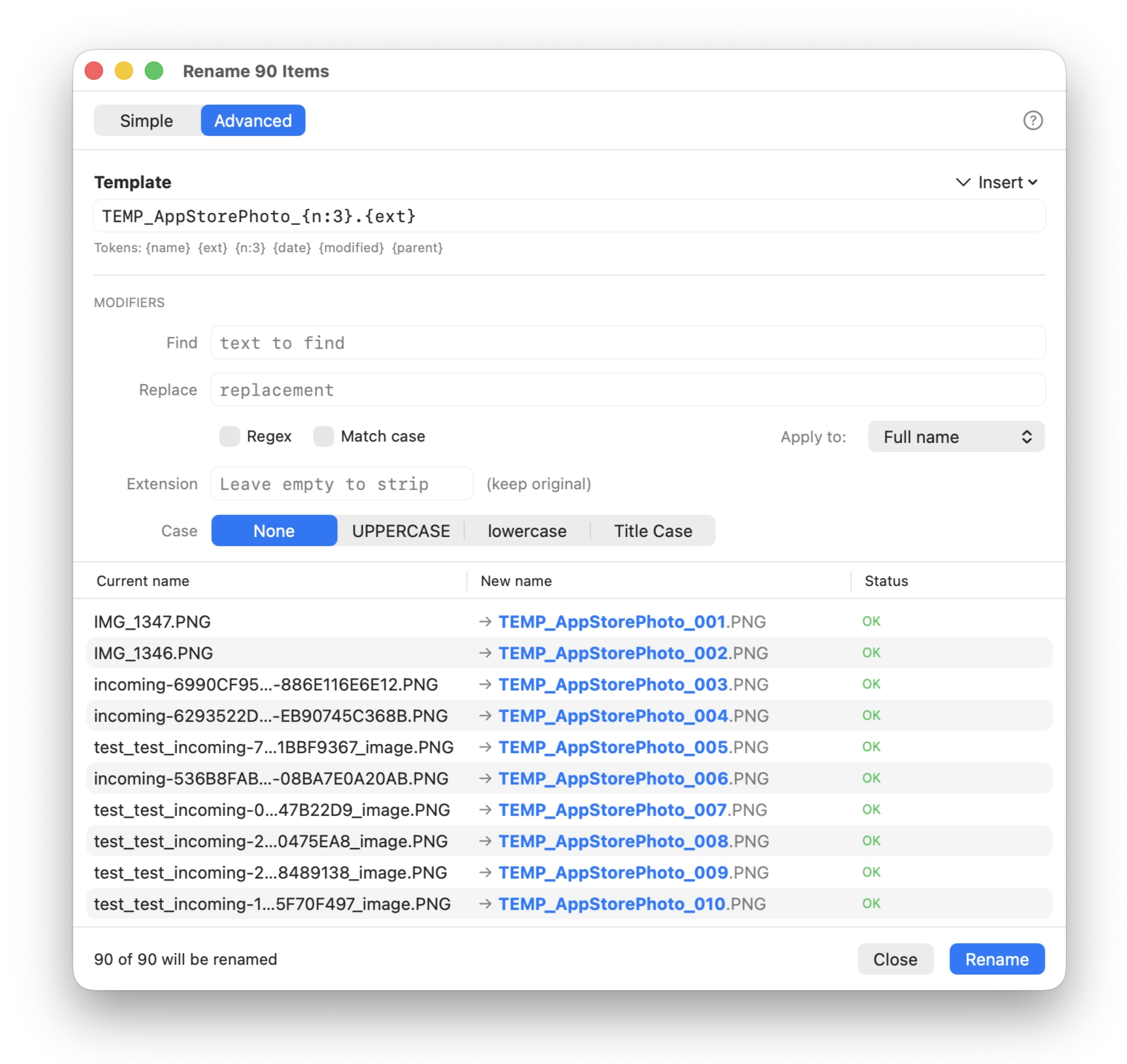
Prefix, suffix, numbered sequences, case change, find-and-replace, regex, metadata tokens. Live two-column preview. Conflict detection. Undo on failure. Rename is fully reversible.
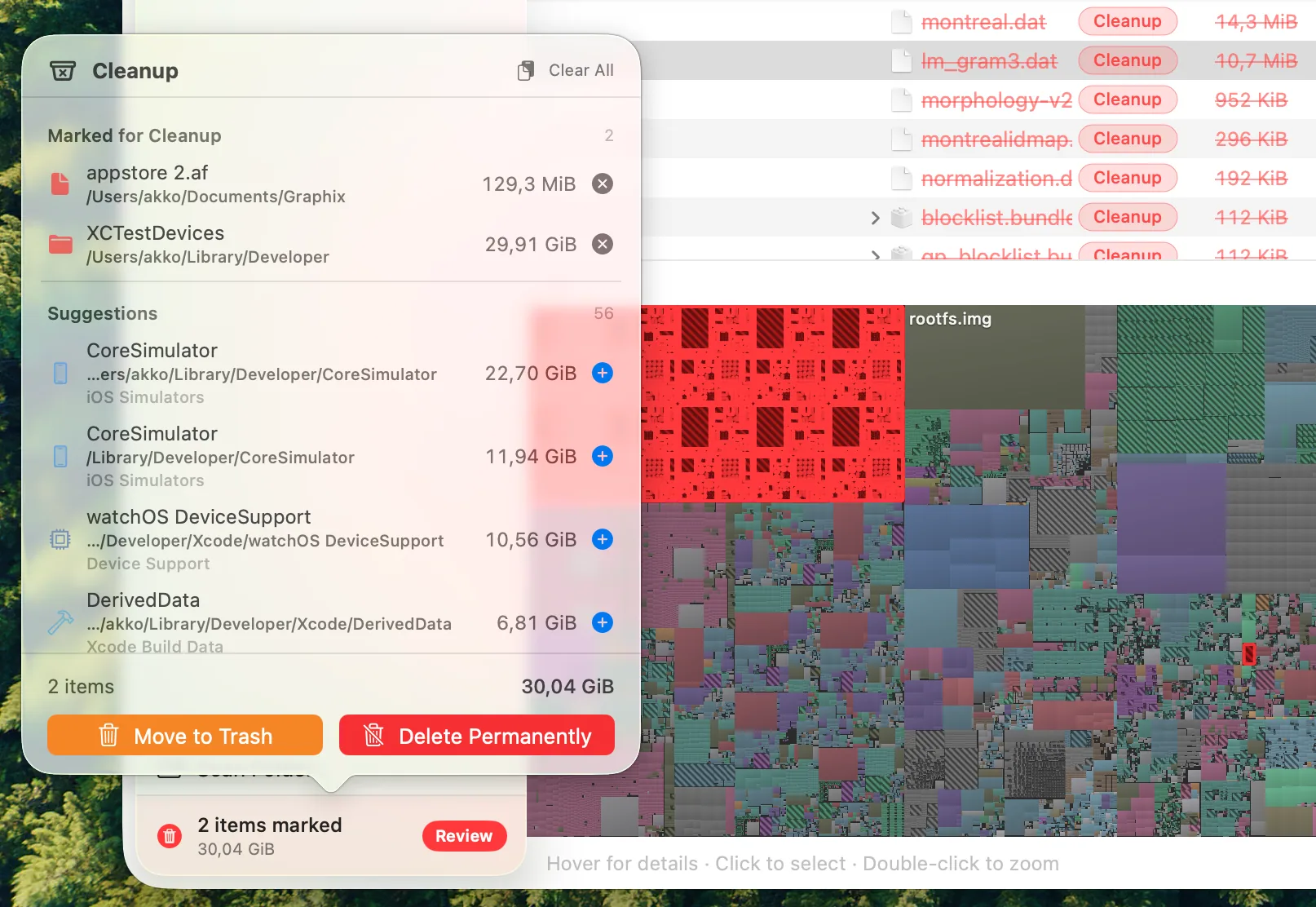
Two-phase delete. Nothing is removed until you explicitly confirm. Mark files or folders with Backspace, review everything in one panel, then choose Move to Trash (undoable) or Delete Permanently.
Five cold runs each, nothing else on screen, kernel cache flushed between every pass. The benchmark is the disk analyzer most reviewers call the fastest on macOS. On a normal drive, Tare edges ahead. Add millions of tiny files and the gap opens to 2×.
MacBook Pro M3 · 512 GB APFS SSD · median of 5 runsEvery operation in Tare has a `find`, `mdfind`, or shell-loop equivalent built into macOS. Here's how each one holds up on the same synthetic tree.
at 1,000,000 filesfind | xargs stat | sort | head
find -name '*.bin'
find | awk | sort | uniq
find | while read; mv
at 10,000 files
find -ls
at 100,000 files
`mdfind` is the one native tool that looks fast, until you notice it doesn't index `/tmp`, scratch volumes, or external disks (exactly the paths a disk analyzer gets pointed at). On indexed paths, its results are the indexer's stale view, not the current tree. Tare's extension index is built from the actual scan, so it's current by construction.
Tare doesn't phone home. The only network request it makes is to verify your license.
Notarized, Developer ID-signed, distributed outside the App Store. Required for Full Disk Access.
SwiftUI + actor-isolated concurrency. No Electron, no web view, no runtime.
Scan anything, explore every feature, decide if it's worth a license.
Buy once, own it. A license covers up to 5 of your Macs and keeps working offline after activation. Try it free for 7 days first if you like.
Secure checkout via Stripe. Your license key is emailed instantly.
APFS is what Tare is built around, and it's where every performance claim holds. HFS+ volumes work but report slightly different block accounting. Network shares (SMB, NFS, AFP) can be scanned, but the numbers depend on what the server chooses to expose. Cloud-only directories (Mobile Documents, CloudStorage) are skipped on purpose so placeholders don't distort the totals. More first-class filesystem support is on the way.
No, but it's strongly recommended. Without FDA, macOS throws a permission prompt for every protected folder (Desktop, Documents, Downloads, your Library), and even after clicking through all of them some files stay hidden. Grant FDA once from System Settings → Privacy & Security → Full Disk Access and every future scan is complete with no prompts.
Tare is built natively on Swift 6's actor-isolated concurrency model and the latest SwiftUI APIs that ship with macOS 26 Tahoe. Supporting older macOS versions would mean a parallel UI stack and concurrency model for a small audience, so the minimum stays at 26 for now.
Mac App Store apps must run in Apple's sandbox, and the sandbox is fundamentally incompatible with Full Disk Access. A sandboxed disk analyzer can only see folders you hand it one at a time, which defeats the purpose. Tare ships as a directly distributed, Developer ID-signed, notarized app so it can actually scan your whole Mac.
Tare reports each clone's full allocated size, which matches what `du -h` shows and what gets freed when you delete one side. If clones exist, the sum of sizes can exceed the volume's actual used space. Time Machine snapshots are the usual reason deleted files don't immediately free disk. Tare doesn't yet break snapshot space out separately, but it's on the list.
No. No analytics, no crash telemetry, no file metadata uploaded anywhere. The only network request Tare makes is a periodic license verification to Nimikko's own server, and the payload is just your license key. Filesystems stay on your Mac.
7-day free trial with every feature unlocked, no credit card required. A license is a one-time $9.99 purchase (secure Stripe checkout), valid on up to 5 of your Macs, and keeps working offline after the first activation. Your key is emailed within seconds of purchase. Updates within v1 stay free.
Buy for $9.99, or grab the 7-day trial and decide after you've scanned your Mac. Total time: under a minute.
macOS 26 Tahoe or later · Apple Silicon + Intel · Instant license delivery